ভারতের গেমিং অ্যাকাউন্ট সুরক্ষা: 2FA, OTP, এবং পুনরুদ্ধার চেকলিস্ট
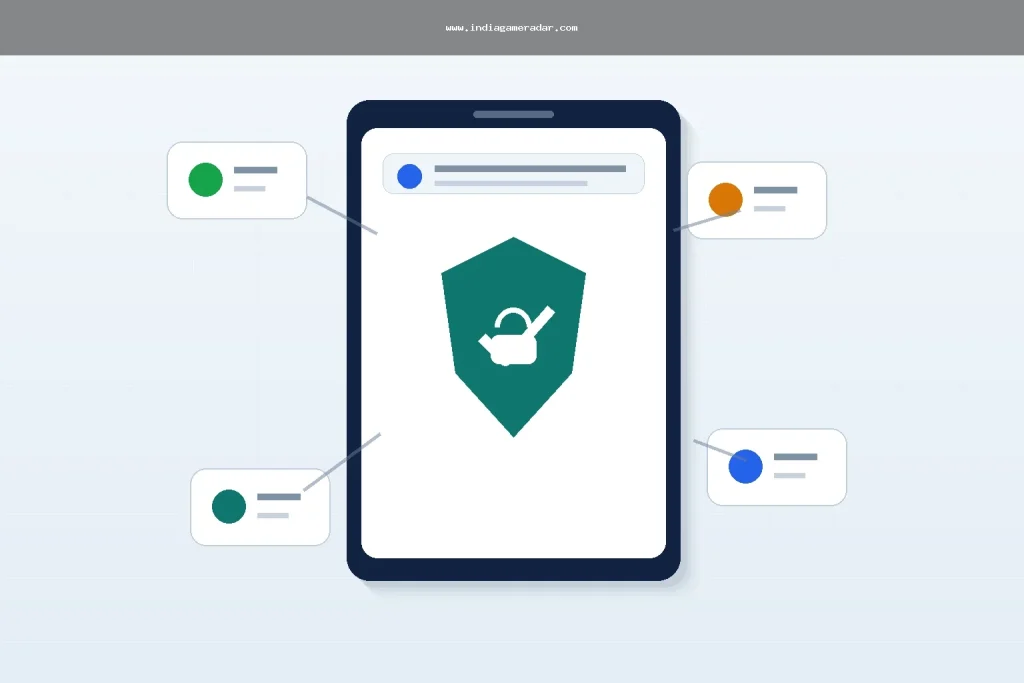
A gaming account can be more than a username. It may hold saved progress, paid items, tournament history, store receipts, social logins, and in some cases wallet or withdrawal records. For Indian players, the safest approach is to treat the gaming account, the linked email, and the linked mobile number as one security chain.
This checklist is for players who want to reduce account-takeover risk before a problem happens. It is not legal advice, recovery support, or a promise that a platform will restore an account. India Game Radar does not process deposits, withdrawals, support tickets, account appeals, or cybercrime reports. Use the official app, platform, store, and government channels for account actions.
Quick Account Security Checklist
- Turn on two-factor authentication, 2-Step Verification, or the strongest sign-in option available for the gaming account and linked email.
- Use a unique password for every gaming, store, email, and social-login account.
- Do not share OTPs, backup codes, recovery links, screenshots of account settings, or identity documents in chats.
- Review connected devices, social-login bindings, payment methods, and recovery email or mobile numbers after any suspicious activity.
- Keep receipts, support ticket IDs, device screenshots, and payment references in one folder if you need to contact support.
If you are mainly trying to spot fake support accounts or phishing messages, also read our fake gaming app scams checklist. If the platform has already locked, banned, or suspended the account, use this article together with the gaming account ban appeal checklist.
Protect The Email And Social Login First
Many gaming accounts are reached through Google, Apple, Facebook, Steam, EA, or another platform login. If that parent account is weak, the game account remains exposed even when the game password looks strong. Start with the email or social account that receives password resets, OTPs, support messages, and purchase receipts.
Google’s authentication guidance explains safer sign-in methods, including 2-Step Verification, for accounts used across apps and services. For a player, that means the gaming login should not be the only account protected. The linked email, mobile recovery path, and store account need the same attention. See the routed source at Google Safety Center authentication.
Use a password manager or another secure method to keep each password unique. Avoid passwords based on your game name, phone number, team name, birth date, city, or social profile. If an old password was reused on another site, treat it as exposed and change it before an attacker tries it on a gaming platform.

Set Up 2FA Without Losing Recovery Access
Two-factor authentication is useful only if the recovery setup is also controlled by you. Before turning it on, update the recovery email and mobile number, remove old devices, and save backup codes in a private place. Do not store backup codes in a public notes app, shared chat, gaming clan group, or screenshot folder that syncs to a compromised account.
For game platforms that offer their own account-security hub, follow the platform’s instructions instead of advice from Telegram groups, APK pages, or “recovery experts.” EA’s account security hub, for example, lists official help for 2FA, security codes, phishing, fraud charges, unusual account activity, account updates, and privacy settings. Use the routed source at EA Account security as an example of how a platform separates account-security topics from ban appeals and player reports.
When a gaming service supports passkeys, authenticator apps, recovery codes, or trusted devices, prefer the option that you can manage reliably. A setup that locks you out every time you change phones is not practical. Keep a written recovery plan: which email is linked, which phone number receives codes, where backup codes are stored, and which official support URL should be used if access is lost.
Check Devices, Sessions, And App Permissions
After suspicious activity, do not only change the game password. Review active sessions, authorized devices, connected social accounts, third-party extensions, and payment methods. If the game is tied to an email account, secure the email account first so the attacker cannot keep resetting the game password.
Steam’s account-security recommendations support this wider approach: review devices, change passwords, secure the related email, scan for malware, and check for malicious apps or extensions. The point is simple: account security is rarely limited to the game app itself. A browser extension, old phone, weak email password, or shared device can become the entry point.
For app-level privacy and permissions, compare this checklist with our gaming app data safety guide. Account security and data safety overlap, but they are not the same. Data safety asks what the app collects and shares. Account security asks who can log in, reset, bind, unlink, purchase, chat, or transfer value through the account.
Keep Evidence Before You Contact Support
If an account appears compromised, build a timeline before opening multiple tickets. Record the first suspicious login, password reset email, OTP message, payment attempt, changed phone number, device change, inventory loss, chat from a fake support account, or lockout notice. Save screenshots with visible dates where possible, but do not publicly post personal data, OTPs, identity documents, or payment details.
- Account username, player ID, and registered email or phone, shared only through official support channels.
- Store order IDs, UTRs, receipt numbers, subscription IDs, or invoice emails if money is involved.
- Support ticket numbers and replies from the official platform.
- Names, URLs, phone numbers, UPI IDs, or social handles used by suspected impersonators.
- Steps already taken, such as password change, 2FA reset, device sign-out, or bank/app-store contact.

When To Use Cybercrime Or Consumer Routes
Use the platform’s official support for login recovery, account binding, 2FA resets, inventory issues, or app-specific account decisions. Use payment-provider, bank, app-store, or consumer routes when the dispute is about a payment, subscription, refund, or service complaint. Use official cybercrime reporting routes when there is suspected fraud, impersonation, account takeover, financial loss, or misuse of personal identifiers.
The Indian Cybercrime Coordination Centre and the National Cyber Crime Reporting Portal are official government routes for cybercrime reporting. The public I4C search result points citizens to reporting through 1930 and cybercrime.gov.in. Use the routed source at জাতীয় সাইবার ক্রাইম রিপোর্টিং পোর্টাল for the official portal, but remember that reporting is not a guarantee of recovery or refund.
Do not pay a stranger who claims they can unlock an account, reverse a ban, or recover a wallet faster than the official channel. Recovery scams often ask for OTPs, remote-access apps, screenshots, or a “verification fee.” If someone asks for your OTP or backup code, treat that as a red flag even if the message uses the logo of a well-known game.
একটি ব্যবহারিক সাপ্তাহিক রুটিন
আপনার জন্য সবচেয়ে গুরুত্বপূর্ণ গেম এবং স্টোরগুলির জন্য একটি পুনরাবৃত্ত অ্যাকাউন্ট চেক সেট করুন। এটি জটিল হতে হবে না। সক্রিয় সেশন পর্যালোচনা করুন, পেমেন্ট পদ্ধতি পরীক্ষা করুন, নিশ্চিত করুন যে পুনরুদ্ধার ইমেল এবং ফোন বর্তমান, অফিসিয়াল স্টোর থেকে অ্যাপ আপডেট করুন, এবং নতুন গোপনীয়তা বা সাইন-ইন সেটিংসের জন্য দেখুন। শিশুদের দ্বারা ব্যবহৃত বা শেয়ার করা পারিবারিক ডিভাইসের জন্য, স্টোর-স্তরের প্যারেন্টাল কন্ট্রোল যোগ করুন এবং সম্ভব হলে পেমেন্ট পদ্ধতি সংরক্ষণ করা এড়িয়ে চলুন।.
লক্ষ্য হল সহজ প্রবেশ পয়েন্টগুলি কমানো, প্রমাণ সংরক্ষণ করা, এবং কিছু ভুল হলে কোন অফিসিয়াল রুট ব্যবহার করতে হবে তা জানা। অনন্য পাসওয়ার্ড, সুরক্ষিত ইমেল, 2FA, পরিষ্কার ডিভাইস এবং সংগঠিত রসিদ সহ একজন খেলোয়াড় সেই ব্যক্তির তুলনায় শক্তিশালী অবস্থানে রয়েছে যে বার্তা এবং অর্ডার আইডি চলে যাওয়ার পরে সমস্যা পুনর্নির্মাণের চেষ্টা করছে।.
না। 2FA সাহায্য করে, কিন্তু খেলোয়াড়দেরও সংযুক্ত ইমেইল, পুনরুদ্ধার ফোন, স্টোর অ্যাকাউন্ট, ডিভাইস, পাসওয়ার্ড এবং সমর্থন-চ্যানেল প্রমাণ সুরক্ষিত করা উচিত। এটি ঝুঁকি কমায় কিন্তু পুনরুদ্ধার নিশ্চিত করে না বা প্রতিটি দখল প্রতিরোধ করে না।.
সংযুক্ত ইমেইল বা সামাজিক লগইন সুরক্ষিত করুন, পাসওয়ার্ড পরিবর্তন করুন, সম্ভব হলে অজানা ডিভাইসগুলি সাইন আউট করুন, তারিখযুক্ত প্রমাণ সংগ্রহ করুন, এবং প্ল্যাটফর্মের অফিসিয়াল সমর্থন পৃষ্ঠার মাধ্যমে যোগাযোগ করুন। যদি প্রতারণা বা আর্থিক ক্ষতি জড়িত থাকে, তবে অফিসিয়াল সাইবারক্রাইম রিপোর্টিং রুটগুলি বিবেচনা করুন।.
না। OTP, ব্যাকআপ কোড, পাসওয়ার্ড-রিসেট লিঙ্ক এবং পুনরুদ্ধার কোড চ্যাট, সামাজিক বার্তা বা কলের মাধ্যমে শেয়ার করা উচিত নয়। সমর্থন দাবি করা ব্যক্তিকে কোড দেওয়ার পরিবর্তে অফিসিয়াল সমর্থন ফর্ম বা অ্যাপ প্রবাহ ব্যবহার করুন।.
না। ইন্ডিয়া গেম রাডার একটি স্বাধীন তথ্য সাইট। এটি খেলোয়াড়ের অ্যাকাউন্টে প্রবেশ করে না, পেমেন্ট প্রক্রিয়া করে না, সমর্থন টিকিট জমা দেয় না, বা গেমিং প্রোফাইল পুনরুদ্ধার করে না। অফিসিয়াল প্ল্যাটফর্ম, পেমেন্ট, স্টোর, ভোক্তা, বা সাইবারক্রাইম চ্যানেল ব্যবহার করুন।.
লিখেছেন
রোহন আইয়ার
ব্র্যান্ড গবেষণা সম্পাদক
রোহন আইয়ার অনলাইন BC ব্র্যান্ড প্রোফাইল, অ্যাপ উপলব্ধতা, পাবলিক শর্তাবলী, গ্রাহক সহায়তা নোট এবং ভারত গেম রাডারের জন্য বাজার আপডেট গবেষণা করেন। তার কাজ পাবলিক-সোর্স চেক এবং অস্বচ্ছতার দৃশ্যমান প্রকাশকে অগ্রাধিকার দেয়।.
- বিশেষজ্ঞতা
- ব্র্যান্ড প্রোফাইল, বাজি অ্যাপ গবেষণা, পাবলিক শর্তাবলী, সহায়তা নোট, বাজার আপডেট এবং সহযোগী প্রকাশের প্রেক্ষাপট।.
- পর্যালোচনা পরিধি
- ব্র্যান্ড প্রোফাইল, পাবলিক অ্যাপ তথ্য, বাজার আপডেট, সহযোগী প্রকাশ এবং সোর্স-ভিত্তিক সংশোধন পর্যালোচনা করে।.