
अॅप तथ्ये
- अॅप
- Roblox अॅप मार्गदर्शक भारत: गोपनीयता, पालक नियंत्रण, आणि सुरक्षा तपासणी
- रेटिंग
- रेट केलेले नाही
- प्रकार
- User-Generated Social Gaming Platform
- डाउनलोड
- Start from the official Roblox site, Google Play, or App Store only; avoid APK mirrors, mod menus, free-Robux generators, account sellers, and copied app pages.
Roblox is not the same kind of app as a fantasy-sports, rummy, or cash-gaming platform. It is a large user-generated games and social-experience platform, which means the main India checklist is different: install source, account age, chat settings, content maturity, in-app purchases, privacy controls, and recovery options matter more than odds, withdrawals, or KYC claims.
This guide is based on official Roblox safety, parental-control, privacy, and app-store material. India Game Radar did not log in to a child account, buy Robux, verify age, test chat, or test moderation outcomes. Treat it as a pre-install and family-settings checklist, then re-check the live app, store listing, and Roblox account settings before allowing regular play.
जलद निकाल
Roblox can be a reasonable creative-gaming platform for families that actively configure settings, but it should not be treated as a set-and-forget game. The safer path is to start from the official listing, create or review the account with a parent present, set content and communication limits, keep spending controls strict, and make sure the child knows how to pause, block, and report.
- सर्वोत्तम योग्य: families who want a broad social gaming platform and are willing to manage controls.
- Main risks to check: chat, user-generated experiences, in-app purchases, random-item notices, account recovery, and privacy settings.
- Not checked here: live gameplay quality, Robux purchase flow, identity verification, user reports, or support response time.
Start With the Official Install Route
For Android users in India, the first stop should be the Roblox listing on Google Play, where the publisher, content rating, interaction labels, and in-app purchase notices can be checked before installation. iPhone and iPad users should make the same check in the App Store. Avoid APK mirrors, mod menus, Robux generators, account sellers, and copied app pages, because those are outside the official store-review and update path.
If a child already has Roblox installed, compare the installed publisher name and update channel against the official store page. This is the same basic hygiene we recommend in our APK download safety checklist: do not assume an app is trustworthy just because it uses a familiar name, icon, or search result.

Parental Controls to Set Before Regular Play
Roblox says parents can manage content, spending, screen time, and connection-related settings through parental controls. The most useful official starting point is Roblox च्या पालक नियंत्रण पृष्ठ, कारण हे पालक काय बदलू शकतात यावर लक्ष केंद्रित करते, फक्त प्लॅटफॉर्मचे वर्णन करण्याऐवजी.
- सामग्रीची प्रौढता: उपलब्ध अनुभवांना मुलाच्या वय, स्वभाव आणि कुटुंबाच्या नियमांशी जुळवा. फक्त प्लॅटफॉर्म-व्यापी वयाच्या लेबलवर अवलंबून राहू नका.
- कनेक्शन आणि चॅट: कोण संवाद साधू शकतो, मुलाला जोडू शकतो किंवा त्यांच्याशी संवाद साधू शकतो हे पुनरावलोकन करा. जर मुलं लहान असेल, तर कडक प्रारंभ करा आणि ते प्लॅटफॉर्म कसे वापरतात हे पाहिल्यानंतरच शिथिल करा.
- खर्च: पेमेंट पद्धती प्रौढांच्या नियंत्रणात ठेवा, उपलब्ध असलेल्या ठिकाणी खरेदी मर्यादा सेट करा, आणि नियमित होण्यापूर्वी Robux विनंत्या यावर चर्चा करा.
- स्क्रीन वेळ: एकाच अॅप सेटिंगने सर्व खेळण्याच्या समस्यांचे समाधान करेल अशी अपेक्षा न करता, प्लॅटफॉर्म नियंत्रणांसोबत डिव्हाइस-स्तरीय नियंत्रणांचा वापर करा.
Roblox सेटिंग्ज डिव्हाइस आणि स्टोअर नियंत्रणांसोबत असाव्यात. विस्तृत कुटुंब सेटअपसाठी, आमच्या गेमिंग अॅप वय रेटिंग आणि पालक नियंत्रण चेकलिस्ट, याची तुलना करा, विशेषतः जर एकाच फोन किंवा टॅबलेटचा वापर अनेक खेळांसाठी केला जात असेल.
गोपनीयता आणि खाते तपासणी
गोपनीयतेला एक स्वतंत्र पास आवश्यक आहे कारण Roblox खात्यात वैयक्तिक माहिती, सामाजिक वैशिष्ट्ये, डिव्हाइस आणि वापर डेटा, आणि पालक-मुलाचे खाते निर्णय समाविष्ट असू शकतात. Roblox गोपनीयता आणि कुकी धोरण मुलाच्या वैयक्तिक माहितीच्या पुनरावलोकन, हटविणे किंवा पुढील संग्रह किंवा वापरावर मर्यादा घालण्याबद्दल पालक किंवा संरक्षकांच्या पर्यायांचे वर्णन करते. भारतातील पालकांनी हे प्लॅटफॉर्म धोरण माहिती म्हणूनच मानले पाहिजे, प्रत्येक संभाव्य डेटा-हक्क परिस्थितीबद्दल कायदेशीर सल्ला म्हणून नाही.
नियमित खेळण्यापूर्वी, ईमेल किंवा फोन पुनर्प्राप्ती मार्गाची पुष्टी करा, मजबूत पासवर्ड वापरा, मुलांमध्ये एकाच खात्याचे शेअरिंग टाळा, आणि खाते पुनर्प्राप्ती तपशील मित्र किंवा व्यापार गटांपासून दूर ठेवा. जर मुलं एकाच ईमेल किंवा डिव्हाइसचा वापर अनेक खेळांसाठी करत असेल, तर आमच्या गेमिंग खाते सुरक्षा चेकलिस्ट देखील संबंधित आहेत.

Chat, Content, and Spending Risks
The Roblox platform includes many experiences made by different creators. That variety is the appeal, but it also means parents should not judge the whole app by one child-friendly game inside it. Review recent activity, friend requests, chat behavior, private-server invitations, and purchase prompts. If a child mentions free Robux, trading shortcuts, login rewards from strangers, or off-platform chat groups, pause and check the account before continuing.
Spending checks should cover both the app store and the Roblox account. In-app purchase labels tell you that purchases exist; they do not tell you whether a child understands the value of virtual currency, recurring requests, or randomized-item notices. Keep receipts, teach children not to screenshot payment screens, and keep family rules visible enough that a purchase request does not become a negotiation every time.
India-Specific Safety Notes
For Indian families, the practical question is usually not whether Roblox is a betting app. It is whether the child is using the official app, whether the account settings match the child’s age, whether in-app purchases are controlled, and whether privacy or chat settings are understood. Do not confuse social gaming with licensed education, guaranteed child safety, or real-money gaming compliance.
Also watch the local device context. A shared Android phone may have multiple payment apps, saved cards, WhatsApp groups, browser downloads, and older APK files. A Roblox setup is stronger when the device itself is clean, the app store account belongs to an adult, and payment approvals are not left to the child.
Pre-Play Checklist
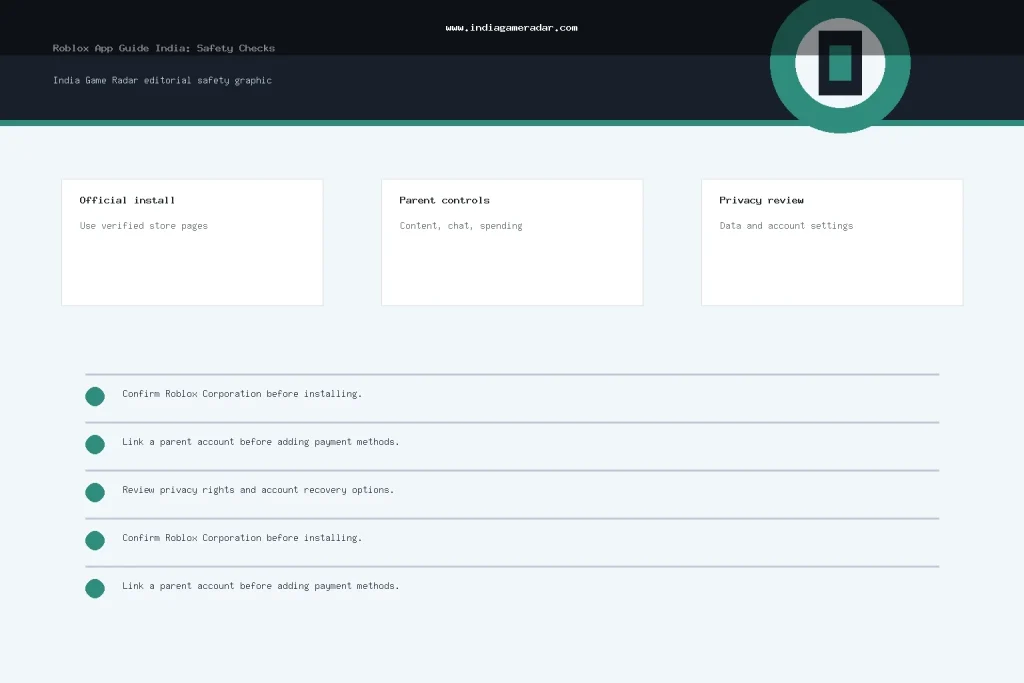
- Install only from the official app store or official Roblox destination.
- Confirm the publisher and app-store labels before installing or updating.
- Set content maturity, chat, connection, and spending controls before regular play.
- Keep payment methods and account recovery details under adult control.
- Teach the child to block, report, and stop playing when something feels wrong.
- Review the account again after major app updates, new friend groups, or unexpected purchase requests.
तळ रेषा
Roblox is best reviewed as a family-managed platform, not a single finished game. If parents treat official install source, privacy settings, communication controls, and purchase limits as part of the setup, the risk picture becomes clearer. If those controls are skipped, the platform can become too open-ended for younger players, especially on a shared device with saved payments or weak account recovery.
हा मार्गदर्शक Roblox ला वास्तविक पैसेच्या गेमिंग ऑपरेटर म्हणून मानत नाही. संबंधित तपासण्या अधिकृत स्थापना, अॅपमध्ये खरेदी, गोपनीयता, चॅट, सामग्री सेटिंग्ज, आणि खात्याची सुरक्षा आहेत. वापरण्यापूर्वी नेहमी थेट स्टोअर सूची आणि Roblox खात्याचे नियंत्रण पुनरावलोकन करा.
सामग्री परिपक्वतेसह प्रारंभ करा, चॅट किंवा कनेक्शन सेटिंग्ज, खर्च नियंत्रण, स्क्रीन वेळ, खाते पुनर्प्राप्ती, आणि उपकरण-स्तरीय स्टोअर नियंत्रण. नियमित खेळण्यापूर्वी हे कॉन्फिगर करा, समस्या उद्भवल्यानंतर नाही.
नाही. अधिकृत अॅप स्टोअर किंवा अधिकृत Roblox गंतव्यापासून प्रारंभ करा. APK मिरर, मोड मेनू, फ्री-रोबक्स पृष्ठे, आणि खाते विक्रेते अधिकृत अद्यतन आणि स्टोअर-आढावा मार्गाबाहेर आहेत आणि खाते किंवा उपकरण धोका निर्माण करू शकतात.
महत्त्वाची सूचना
इंडिया गेम रडार हा प्रौढ वाचकांसाठी एक स्वतंत्र माहिती वेबसाइट आहे. आम्ही बेटिंग किंवा कॅसिनो सेवा चालवत नाही, ठेव स्वीकारत नाही, पैसे काढण्याची प्रक्रिया करत नाही, खेळाडू खाती व्यवस्थापित करत नाही, किंवा वास्तविक पैसे गेमिंगसाठी प्रवेश प्रदान करत नाही. कोणतीही तृतीय-पक्ष वेबसाइट वापरण्यापूर्वी नेहमी अधिकृत अटी, स्थानिक कायदे, आणि वयाच्या आवश्यकता तपासा.