भारतातील गेमिंग अॅप इन-ऍप खरेदी: परतावा, पालक नियंत्रण, आणि रसीद चेकलिस्ट
गेमिंग अॅप इन-ऍप खरेदी, रसीद नोंदी, पालक नियंत्रण, परतावा विनंत्या, आणि ग्राहक वाढीसाठी एक व्यावहारिक भारत-केंद्रित चेकलिस्ट.
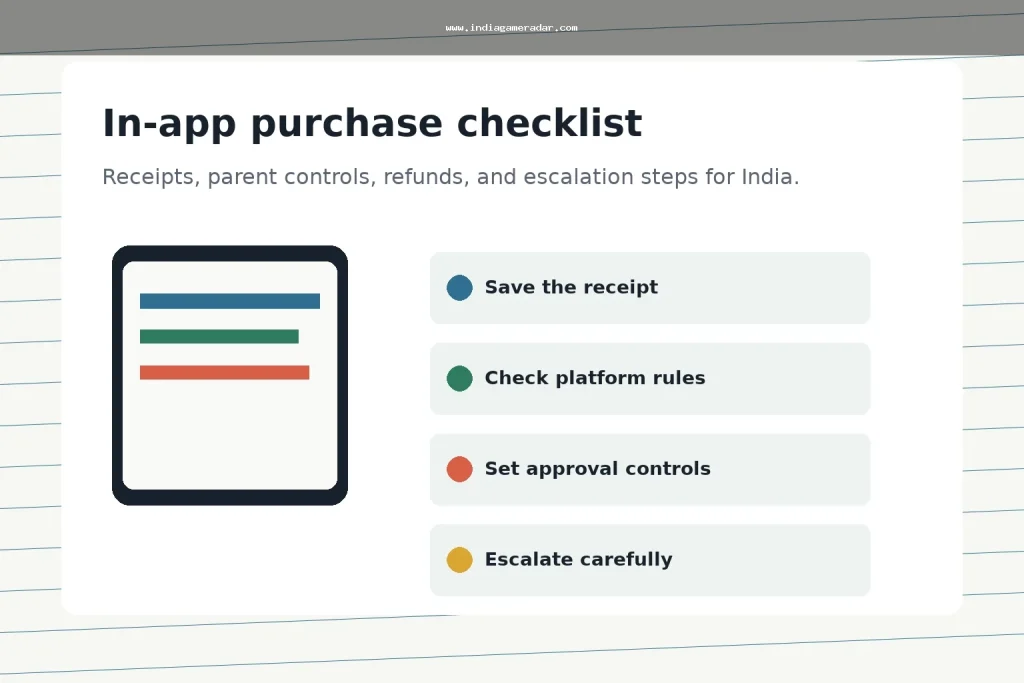
In-app purchases are easy to miss until a receipt arrives. For gaming apps, the safest approach is to treat every coin pack, season pass, subscription, battle pass, and add-on as a small payment record that needs approval, a receipt, and a clear refund path. This India-focused checklist is for players and parents who want to reduce accidental charges and keep useful evidence if a purchase dispute has to be raised later.
India Game Radar does not process deposits, purchases, refunds, wallet withdrawals, or gaming accounts. Use this as an independent record-keeping and platform-support checklist, not legal or payment advice. Refund decisions still depend on the app store, developer policy, account history, purchase timing, and the facts of the case.
जलद निकाल
If a gaming app charge looks wrong, start with the store receipt, the order ID, the account that made the purchase, the payment method, and screenshots of the item shown in the app. Google Play says refund eligibility for apps, games, and in-app purchases can depend on how long it has been since the purchase, with a possible request route within 48 hours and developer contact after that in many cases. Apple says some App Store purchases may be eligible for a refund and points users to its refund request flow, with an update usually taking 24 to 48 hours.
For a broader refund escalation path, keep this article beside our gaming app refunds checklist, transaction records checklist, आणि UPI AutoPay cancellation checklist.
Before Any Purchase, Make The Payment Visible
The best refund file is the one you never need. Before a child or another family member uses a gaming device, review purchase verification, family payment settings, and device lock settings. On Google Play, purchase verification and purchase approvals can help reduce unintended purchases. On Apple devices, Family Sharing with Ask to Buy can require a parent or organiser to approve eligible App Store downloads and in-app purchases.
- Use a separate child or family account instead of sharing the main payment account.
- Turn on store-level purchase verification before adding a saved card, UPI, wallet, or carrier billing method.
- Check whether the app has subscriptions, recurring passes, auto-renewing memberships, or one-time consumables.
- Take screenshots of price screens, bonus promises, expiry timers, and important terms before buying.
- Review recent receipts weekly if a child plays games with in-app purchases enabled.

What To Save When A Charge Happens
Do not begin with a long complaint. Begin with a clean purchase file. Store-support teams and developers usually need the same basic facts: purchase date, order ID, amount, currency, account email or player ID, app name, item name, and the exact reason the purchase is disputed. Keep screenshots of the in-app item, the payment receipt, the refund request, and any developer replies.
If the issue involves a child, accidental tap, misleading bonus screen, missing item, duplicate charge, or subscription renewal, write that in plain language. Avoid unsupported claims such as fraud, scam, illegal app, or guaranteed refund unless you have direct evidence. Strong evidence is specific: a receipt number, a screenshot, a timestamp, and a support ticket reference.
Use The Store Refund Route First
Android खरेदीसाठी, संबंधित Google Play परतावा धोरण आणि अनुप्रयोग, खेळ आणि अनुप्रयोगातील खरेदीसाठी विनंती प्रवाहासह प्रारंभ करा. वापरा Google Play च्या अनुप्रयोगातील खरेदी परतावा मार्गदर्शन विनंती लिहिण्यापूर्वी वेळ आणि विकासक-संपर्क मर्यादा समजून घेण्यासाठी. Apple खरेदीसाठी, वापरा Apple च्या परतावा विनंती पृष्ठ आणि रसीद मिळालेल्या Apple खात्यातील खरेदी निवडा.
जर खरेदी खेळाच्या आत झाली असेल पण रसीद अनुप्रयोग स्टोअरमधून आली असेल, तर प्रथम अनुप्रयोग स्टोअर मार्ग वापरा. जर स्टोअरने तुम्हाला विकासकांशी संपर्क साधण्यास सांगितले, तर रसीद, अनुप्रयोग आवृत्ती, खेळाडू आयडी, आणि स्क्रीनशॉटसह एक लहान तिकीट पाठवा. विकासकाची प्रतिक्रिया ठेवा, कारण हे नंतरच्या प्रकरणात वाढवले गेले तर उपयुक्त पुरावा बनते.

मूलभूत नोंद तयार झाल्यावरच वाढवा
जर स्टोअर आणि विकासक उपभोक्ता खरेदी समस्येचे निराकरण करत नसतील, तर भारतीय वापरकर्ते सार्वजनिक वाढीच्या चॅनेलचा वापर करण्यापूर्वी एक संक्षिप्त तक्रार नोंद ठेवू शकतात. राष्ट्रीय ग्राहक हेल्पलाइन संपर्क पर्यायांची यादी समाविष्ट करते ज्यामध्ये वेब पोर्टल, कॉल सेंटर 1915, WhatsApp, SMS, आणि अनुप्रयोग मार्ग आहेत. तुम्ही आधीच जतन केलेले तथ्ये वापरा: रसीद, ऑर्डर आयडी, अनुप्रयोगाचे नाव, विकासकाची प्रतिक्रिया, रक्कम, तारीख, आणि तुम्ही मागणी करत असलेला परिणाम.
प्रत्येक अपयशी परताव्यावर वाढीचा पहिला प्रतिसाद असू नये. जर वस्तू वितरित केली गेली आणि खरेदी हेतुपुरस्सर होती, तर प्लॅटफॉर्म किंवा विकासक परतावा नाकारू शकतात. जर अनुप्रयोग स्क्रीन भ्रामक असेल, शुल्क पुनरावृत्ती झाले असेल, खरेदी केलेली वस्तू कधीच दिसली नसेल, किंवा मुलाने कमकुवत नियंत्रण ओलांडले असेल, तर ते अचूकपणे स्पष्ट करा आणि पुरावा संलग्न करा.
पालक नियंत्रण महिन्याला पुन्हा तपासा
पालक नियंत्रण एकदाच सेटिंग नाहीत. नवीन उपकरण, अनुप्रयोग पुनर्स्थापना, पेमेंट पद्धतीत बदल, कुटुंब-गट बदल, किंवा ऑपरेटिंग-सिस्टम अद्यतनानंतर त्यांची पुन्हा तपासणी करा. मुलाला अनुप्रयोग स्थापित करण्याची, अनुप्रयोगातील खरेदी करण्याची, मित्रांच्या विनंत्या स्वीकारण्याची, आवाज किंवा चॅट वैशिष्ट्यांमध्ये सामील होण्याची, किंवा उच्च-दाब खरेदी प्रॉम्प्ट पाहण्याची परवानगी आहे का ते पुनरावलोकन करा. PIB शिक्षण मंत्रालयाने पालकांना आणि शिक्षकांना ऑनलाइन गेमिंगच्या धोक्यांबद्दल चेतावणी दिली आहे, ज्यामध्ये अनुप्रयोगातील खरेदीसंबंधीचा दबाव समाविष्ट आहे, त्यामुळे व्यावहारिक उद्दिष्ट खर्चाला लपविण्याऐवजी ठरवलेले बनवणे आहे.
- पेमेंट पद्धती पालक खात्यावर ठेवा, मुलाच्या गेम खात्यावर नाही.
- खरेदीसाठी पासवर्ड, बायोमेट्रिक पुष्टीकरण, किंवा कुटुंबाच्या मान्यतेची आवश्यकता आहे.
- मुख्यतः खेळांसाठी वापरल्या जाणार्या सामायिक उपकरणांवरून जतन केलेल्या पेमेंट पद्धती काढा.
- आठवड्याच्या शेवटी, सुट्टीच्या दिवशी, आणि स्पर्धात्मक कार्यक्रमांनंतर अनुप्रयोग-स्टोअर रसीद तपासा.
- परतावा अपेक्षा वास्तववादी ठेवा आणि विनंती पुराव्यावर केंद्रित करा.
एक साधा पुरावा टेम्पलेट
वादग्रस्त शुल्कासाठी एक नोट वापरा. अनुप्रयोगाचे नाव, खेळाडू आयडी, स्टोअर खाते, खरेदीची तारीख, ऑर्डर आयडी, रक्कम, पेमेंट पद्धत, वस्तूचे नाव, परतावा कारण, जतन केलेले स्क्रीनशॉट, स्टोअर विनंती क्रमांक, विकासक तिकीट क्रमांक, आणि अंतिम प्रतिसाद नोंदवा. ही रचना तक्रार स्पष्ट ठेवते, अगदी तुम्हाला स्टोअर समर्थनातून विकासक समर्थनाकडे आणि नंतर उपभोक्ता हेल्पलाइनकडे हलवावे लागले तरी.
उद्देश प्रत्येक शुल्क उलटता करण्याचा नाही. उद्देश कुटुंब खरेदी दृश्यमान बनवणे, पुनरावृत्तीच्या चुका थांबवणे, आणि समर्थन टीम्सना प्रकरण जलद पुनरावलोकन करण्यासाठी पुरेशी माहिती देणे आहे.
नाही. परतावा पात्रता अॅप स्टोअर, खरेदीची वेळ, विकासक धोरण, खाते इतिहास आणि विनंतीचा कारण यावर अवलंबून असते. परताव्यांना पुनरावलोकनावर आधारित मानले पाहिजे, हमी नाही.
स्टोअर रसीद, ऑर्डर आयडी, तारीख, रक्कम, अॅपचे नाव, आयटमचे नाव, वापरलेला खाती, खरेदी स्क्रीनचे स्क्रीनशॉट आणि कोणत्याही विकासक किंवा स्टोअर समर्थनाच्या उत्तरांचे जतन करा.
सामायिक गेमिंग उपकरणावर जतन केलेल्या पेमेंट पद्धती टाळणे सहसा अधिक सुरक्षित असते. जर पेमेंट पद्धती सक्रिय ठेवणे आवश्यक असेल, तर खरेदी पडताळणी, कुटुंबाच्या मान्यतेचा वापर करा आणि नियमित पावत्या तपासा.
ते वापरा जेव्हा तुमच्याकडे स्पष्ट ग्राहक तक्रार नोंद आहे आणि स्टोअर किंवा विकासक समर्थनाने समस्या सोडवलेली नाही. पावती, ऑर्डर आयडी, समर्थन संदर्भ, आणि मागितलेला परिणाम तयार ठेवा.
लिहिलेले
रोहन अय्यर
ब्रँड संशोधन संपादक
रोहन अय्यर ऑनलाइन BC ब्रँड प्रोफाइल, अॅप उपलब्धता, सार्वजनिक अटी, ग्राहक समर्थन नोट्स, आणि भारत गेम रडारसाठी बाजार अद्यतने संशोधन करतात. त्यांचे काम सार्वजनिक स्रोत तपासणी आणि अनिश्चिततेची दृश्यमान उघडकी यावर प्राधान्य देते.
- तज्ञता
- ब्रँड प्रोफाइल, बेटिंग अॅप संशोधन, सार्वजनिक अटी, समर्थन नोट्स, बाजार अद्यतने, आणि सहयोगी उघडकी संदर्भ.
- पुनरावलोकन व्याप्ती
- ब्रँड प्रोफाइल, सार्वजनिक अॅप माहिती, बाजार अद्यतने, सहयोगी उघडकी, आणि स्रोत-आधारित दुरुस्त्या पुनरावलोकन करतो.