Online Gaming Winnings in AIS and Form 26AS: India Player Records Checklist
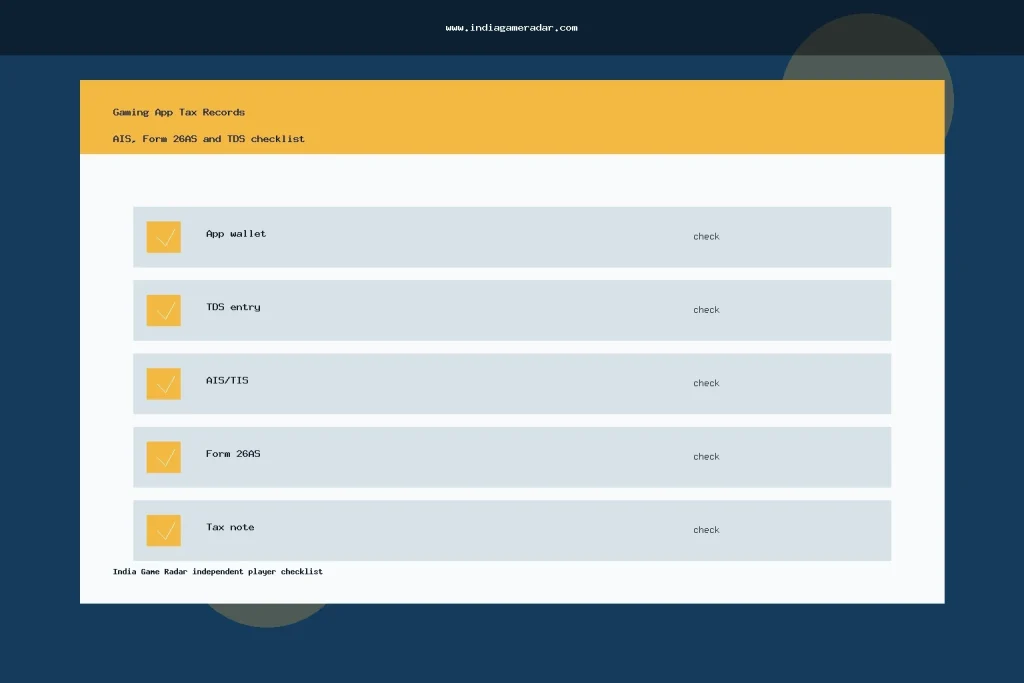
If you use gaming or fantasy-sports apps in India, the records you keep inside the app can matter later when you check tax information on the Income Tax portal. A wallet screen, withdrawal receipt, or TDS line may look simple on its own, but it can become confusing when you compare it with AIS, TIS, and Form 26AS during return season.
This checklist is for players who want a clean record trail before they file, respond to a mismatch, or ask a qualified tax professional for help. It does not replace the Income Tax Department portal, a tax adviser, or the official statement shown in your own account.
What Changed In The Record Trail
The Income Tax Department explains online gaming winnings under Section 115BBJ and TDS under Section 194BA. Its public guidance describes a 30% rate on net winnings, with TDS generally tied to withdrawal or financial-year-end treatment. The important practical point for a player is not just the rate. It is whether your app statement, bank records, AIS/TIS view, and Form 26AS tell the same story.
For a broader explanation of the tax rule itself, start with our online gaming winnings tax checklist. This page focuses on the evidence trail: what to save, what to compare, and what to question before assuming a number is correct.

AIS, TIS, And Form 26AS Are Not The Same Screen
The official AIS FAQ says the Annual Information Statement is a wider taxpayer information view. It can show TDS/TCS information, SFT information, tax payments, demand or refund information, and other reported information. It also lets taxpayers submit feedback on displayed information.
Form 26AS is narrower from AY 2023-24 onward. The Income Tax portal explains that Form 26AS on TRACES displays TDS/TCS related data, while other details are available in AIS. That distinction matters when a gaming-app user sees one figure in an app statement and another figure in a tax portal view. A mismatch does not automatically prove wrongdoing or safety. It means the record needs to be reconciled.
- Use AIS for the wider picture. Check reported values, modified values, feedback status, and any related TIS summary.
- Use Form 26AS for the tax-credit trail. It is the better first stop when you are checking whether TDS/TCS data appears for the relevant assessment year.
- Use the app statement for source records. Save withdrawals, closing balance, bonuses, refunds, and any tax certificate or TDS note the app provides.
What To Download From The Gaming App
Before you compare the tax portal, export or screenshot your gaming-app records while you still have access to the account. The safest file is usually a statement that includes transaction date, transaction type, gross winning or wallet credit, withdrawal amount, TDS deduction, net paid amount, and reference ID. If the app does not provide all of this in one place, keep separate screenshots with dates visible.
Also save bank UTRs, store order IDs, email receipts, and support replies. Our gaming app transaction records checklist explains how to keep receipt trails for UPI, app-store payments, and wallet entries. Those documents can help you explain why an app balance, withdrawal record, and tax record do or do not match.
- Financial-year opening and closing wallet balance.
- Deposits made from already taxed money or other non-winning sources.
- Withdrawals, failed withdrawals, reversals, and refunds.
- Bonus credits or promotional credits that may not be withdrawable.
- TDS deduction line, certificate, or tax statement issued by the app.
- PAN or KYC account details shown by the app, if available.
How To Compare The Portal Records
Start with the Income Tax Department AIS page after logging in. Check whether the reported information category, source, amount description, and value accepted by taxpayer or source look relevant to the gaming record you are reviewing. If a line appears wrong, the official AIS FAQ says taxpayers can submit feedback and then download an acknowledgement record.
Then check Form 26AS for the relevant assessment year. The Income Tax Department Form 26AS help page describes the e-Filing route through the TDS-CPC portal, where a taxpayer can view or download the tax credit statement. Match the assessment year, deductor details, amount, and timing against your app and bank records.

- Choose the financial year and assessment year before comparing numbers.
- Separate deposits, winnings, withdrawals, refunds, and bonuses.
- Check whether the app reports net winnings or wallet movements.
- Compare TDS entries in the app with Form 26AS and AIS/TIS.
- Save any AIS feedback acknowledgement if you dispute a portal entry.
Red Flags Before You Trust An App Statement
A gaming app statement is weaker if it hides dates, combines deposits and winnings, removes old wallet records, or does not show failed withdrawals separately. Be cautious if support only gives a chat answer but no downloadable statement. Also be cautious if an app claims that a tax issue is fully solved without pointing you back to the official portal or a qualified professional.
Payment records still matter even when the tax issue is not about UPI itself. If a deposit, refund, or withdrawal was made through UPI, our UPI payment safety checklist can help you keep UTRs and complaint evidence separate from the tax records.
Official Source Shortlist
Use official sources when the record affects filing or tax credit checks. The most relevant starting points are the Income Tax Department page on winnings from online games, the official AIS FAQ, and the Income Tax Department guide to viewing Form 26AS.
India Game Radar is an independent information site. We do not accept deposits, process withdrawals, manage player accounts, file tax returns, or provide tax, legal, or financial advice. Use this checklist to organize your records, then verify personal filing questions through the Income Tax portal or a qualified adviser.
No. The Income Tax Department FAQ explains that Form 26AS shows TDS/TCS related data from AY 2023-24 onward, while AIS is a wider information view. Check both when reconciling gaming app winnings or TDS records.
Keep wallet statements, withdrawal receipts, deposit records, failed transaction notes, TDS lines, tax certificates if provided, PAN or KYC account details, and support replies with dates visible.
Do not assume the app or the portal is automatically wrong. Compare the financial year, assessment year, source, amount description, withdrawals, deposits, and TDS entries. If needed, use the official AIS feedback process or ask a qualified tax professional.
No. This is a general player-record checklist for India. India Game Radar does not provide tax, legal, financial, deposit, withdrawal, account, or filing services.
Written by
Nisha Rao
Payments and Safety Editor
Nisha Rao covers payment notes, KYC guidance, account-safety topics, app usability, and responsible gaming context. She focuses on helping readers understand public information without treating gaming as income or financial advice.
- Expertise
- UPI and wallet notes, KYC explainers, app safety checks, responsible gaming tools, and reader correction review.
- Review scope
- Reviews payment guidance, KYC notes, safety language, responsible-use sections, and correction evidence.