Gaming App Account Deletion in India: Data and Privacy Checklist
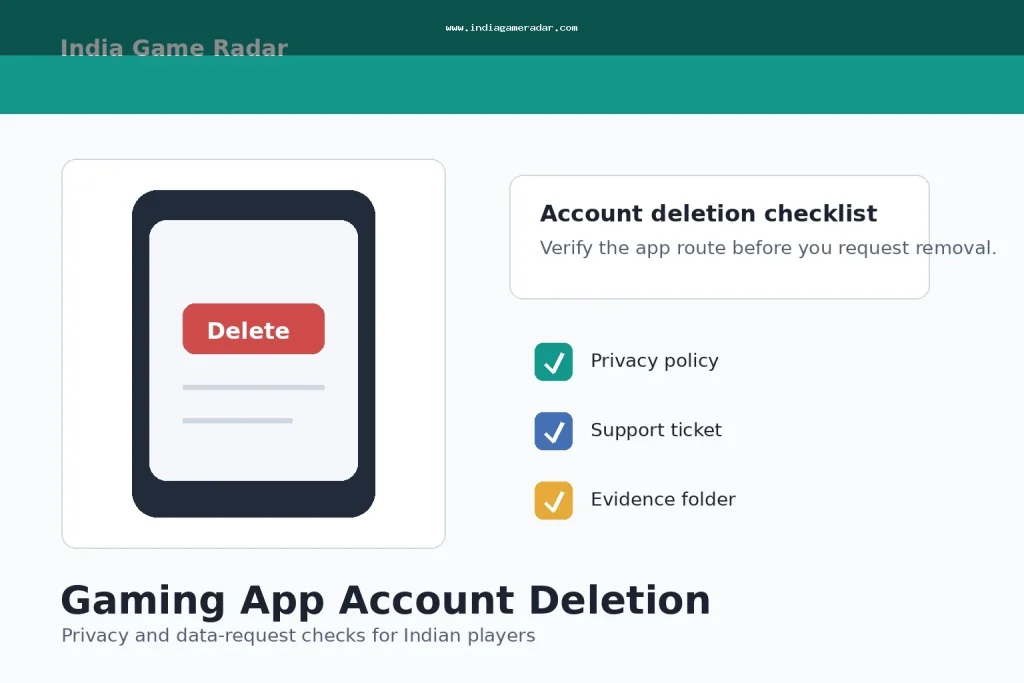
Deleting a gaming app account is not the same as uninstalling the app. Uninstalling only removes software from your phone. A proper account or data-deletion request should help you identify what profile data, payment records, gameplay records, marketing permissions, and support history the operator says it will delete or keep.
This checklist is for players in India who want a clear, evidence-based way to request account deletion or ask what data a gaming app holds. It is not legal advice. India Game Radar is an independent information site; we do not operate gaming services, accept deposits, process withdrawals, manage player accounts, or contact operators for players.
First decide what you are asking for
Keep the request narrow. If you want to stop using the app, ask for account closure or deletion through the official app, website, or support channel. If you want to understand what information the app has stored, ask for the privacy or data-rights route described in the app privacy policy. If you mainly have a delayed withdrawal, bonus, or contest dispute, handle that separately so the account does not disappear before you save evidence.
- Account deletion: you want the login profile and account access removed or closed.
- Data deletion or erasure: you want personal data removed where the operator is not legally required to keep it.
- Access or correction: you want to know what personal data is held, or you want incorrect account details corrected.
- Marketing opt-out: you want promotional calls, SMS, emails, app notifications, or WhatsApp messages stopped.
- Complaint escalation: you already asked the operator and need a written response, ticket number, or next route.
The Digital Personal Data Protection Act, 2023 gives useful context for Indian users because it recognizes rights around access, correction, completion, updating, and erasure of personal data, while allowing retention where another legal purpose applies. That means players should avoid demanding instant deletion of every record in every situation. A gaming operator may need to retain some records for law, tax, fraud-prevention, payment, dispute, or responsible-gaming reasons.

Check the official deletion route
Start inside the app settings, account page, privacy policy, help center, or official website. Do not use a search ad, copied APK page, Telegram handle, or random customer-care number for a privacy request. If the app is listed on Google Play and allows account creation, Google Play account-deletion requirements can also help players look for a deletion option or web link in the Play Store data-safety area.
Before submitting anything, confirm the domain, app name, developer name, registered email or mobile number, and support address. Save screenshots of the deletion page, privacy policy, selected request type, confirmation screen, and ticket number. If the only available route is an email address, write from the registered account email when possible and keep the full sent message.
- Open the official app or website and find Account, Privacy, Help, Support, or Data Safety settings.
- Read whether deletion is reversible, delayed, or limited by pending transactions, disputes, tax records, or responsible-play records.
- Save your user ID, registered email or mobile number, wallet status, pending withdrawal IDs, open tickets, and recent support replies.
- Send one clear request with the exact action you want: close the account, delete eligible personal data, stop marketing, or correct account details.
- Ask for written confirmation, a ticket number, and the expected response timeline.
- After confirmation, try logging in only if the operator instructs you to verify closure; repeated login attempts may reactivate some accounts.
- Keep the final email or screenshot in a separate folder with the request date and app name.
Save evidence before deleting anything
Do not rush into deletion if there is an unresolved payment, withdrawal, KYC, bonus, or fraud concern. A closed account can make it harder to collect screenshots later. Save the account screen, wallet ledger, transaction IDs, UPI references, support chats, KYC request screens, and any promised timeline before you submit a closure request. For document-sharing risk, use our gaming app KYC document safety checklist.
If the issue is about a payment delay rather than privacy, use the evidence flow in our withdrawal delay checklist. If you suspect impersonation, unauthorized transactions, phishing, or fake support, preserve the suspicious link or message and review the gaming app complaint checklist before contacting outside channels.
Write a request that support can actually process
A strong deletion request is short, specific, and dated. Use plain language: “I am requesting account deletion and deletion of eligible personal data for the account registered with [email/mobile]. My user ID is [ID]. Please confirm whether any records must be retained for legal, tax, payment, fraud-prevention, dispute, or responsible-gaming reasons, and please stop marketing messages where applicable.”
Do not include OTPs, passwords, full Aadhaar numbers, full PAN images, card numbers, UPI PINs, or unnecessary identity documents in the first message. If the operator asks for verification, confirm that the request comes from the official channel and share only what is needed for identity matching. Watermark document images if the operator permits it.

Know what may not be deleted immediately
Players sometimes expect a delete button to erase everything instantly. In practice, an operator may keep limited records where it has a lawful reason, such as complying with tax rules, investigating fraud, resolving chargebacks, preserving transaction records, honoring self-exclusion, or responding to an active complaint. The important point is transparency: ask what was deleted, what was retained, why it was retained, and for how long the operator says it will keep it.
Keep legal claims cautious. The DPDP Act is a legal framework, not a magic phrase that forces every gaming record to disappear on demand. State-level gaming rules, operator terms, and product categories can also affect player options. When in doubt, get qualified legal advice rather than relying on a template from any review website.
Escalate only through the right route
If the operator ignores a privacy or account request, use the grievance or support contact listed in the app privacy policy first. If the issue becomes a service complaint, the Department of Consumer Affairs page for the National Consumer Helpline describes NCH as a pre-litigation consumer grievance route. That can be relevant for unresolved service issues, but it is not a substitute for legal advice or a guaranteed refund route.
For suspected fraud, phishing, unauthorized payment activity, or misuse of identity documents, use official cybercrime and bank/payment channels quickly. Do not post private documents in public reviews or social comments to “prove” the complaint. Public posts can create a second privacy problem.
Useful sources checked
- Digital Personal Data Protection Act, 2023 for access, correction, erasure, and grievance-rights context.
- Google Play account deletion requirements for app-store transparency and deletion-route context.
- Department of Consumer Affairs NCH page for unresolved consumer-service escalation context.
Account Deletion FAQ
No. Uninstalling removes the app from your device, but it usually does not close the account or delete server-side profile, payment, support, or gameplay records. Use the app or website account-deletion route where available.
Not always. You can ask for deletion of eligible personal data, but an operator may retain limited records for legal, tax, payment, fraud-prevention, dispute, or responsible-gaming reasons. Ask for a written explanation of what is retained and why.
Usually no. Save evidence first and resolve the payment, KYC, bonus, or support issue separately. Deleting or closing an account too early can make screenshots, wallet records, and support history harder to access.
No. India Game Radar is an independent information and review portal. We do not operate gaming apps, accept deposits, process withdrawals, manage player accounts, or submit deletion requests for players.
Written by
Aarav Mehta
Senior Betting Games Editor
Aarav Mehta writes and reviews game-rule explainers, fantasy sports guides, cricket betting context, and strategy notes for adult readers in India. His work focuses on explaining rules, risk, limits, and public platform terms in clear language.
- Expertise
- Cricket betting context, fantasy sports rules, casino game explainers, betting strategy basics, and responsible-use reminders.
- Review scope
- Reviews game rules, strategy articles, bonus-term explanations, and public-source updates before publication.