
Key Facts
- Brand
- JioGamesCloud Review India: Cloud Games, Devices, and Price Checks
- Rating
- 3.8/5
- BC Topic
- Cloud Gaming and Game Streaming
- Website Action
- Official Site
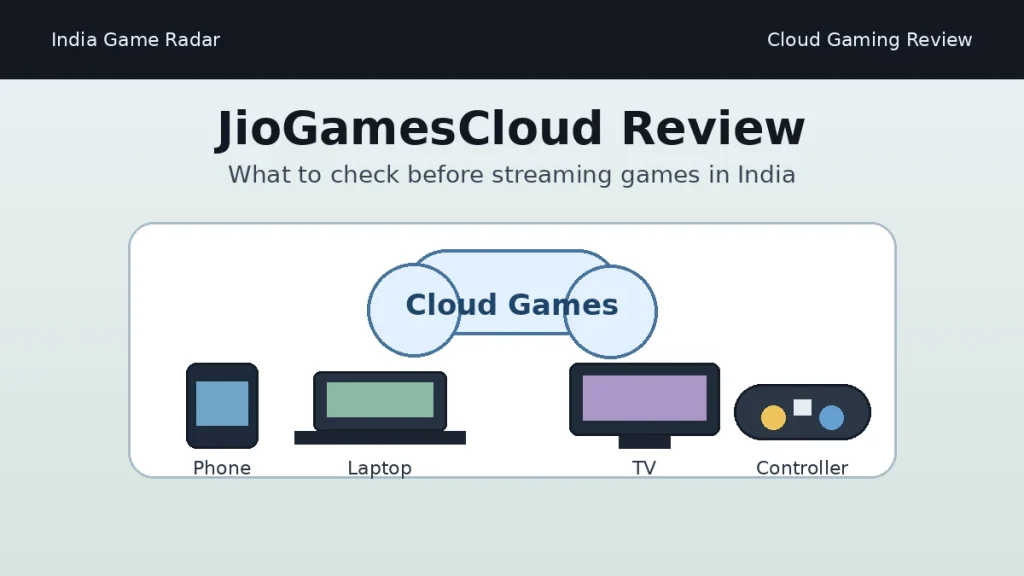
JioGamesCloud is worth considering if you want to try cloud gaming in India without buying a console or gaming PC first, but it is not a service to join blindly. The strongest use case is simple: stream supported games on a phone, laptop, browser, Android TV, or Jio Set-Top Box, then decide whether the live library, subscription route, controller setup, and network performance suit your home connection.
This India Game Radar review is based on public official sources checked on June 6, 2026, including the JioGames website, JioGames FAQ, supported-controller page, Jio apps page, JioGames terms and privacy pages, and current Google Play and Apple App Store listings. We did not perform hands-on latency, subscription, refund, account-support, or controller testing, so performance and payment claims are deliberately qualified.
Quick Verdict
- Best fit: players who want to sample PC-style cloud games on mobile, browser, TV, or set-top-box screens before spending on dedicated hardware.
- Main check: your connection quality matters more than the app install. JioGames FAQ lists 40 Mbps as a minimum and 100 Mbps+ as recommended for cloud play.
- Payment caution: subscriptions may be activated through the JioGames app using UPI or Jio recharge packs, so verify the live plan, renewal terms, and cancellation route inside your own account before paying.
- Review limit: this is an independent public-source review, not operator approval and not a promise that every listed title, device, or controller will work for every user.
What JioGamesCloud Does
JioGamesCloud is the cloud-gaming part of the broader JioGames platform. Official Jio pages describe JioGames as a gaming hub across cloud games, instant games, esports tournaments, live streams, digital game-store items, and Jio device experiences. For readers comparing it with download-first PC options, the closest internal reference is our Google Play Games on PC India setup guide, because both topics turn on device support, account setup, and whether a title actually works on your hardware.
The official JioGames FAQ describes cloud play as a way to run high-quality games directly on supported devices without expensive local hardware. The public source base supports a conservative 500+ cloud-game library claim from Jio FAQ and Jio app pages. Some search snippets may show higher figures, but the safer editorial choice is to use the lower official figure and tell readers to verify the current library inside JioGames before subscribing.
The service also has a broader entertainment layer. The App Store listing describes cloud gaming, instant games, esports, live streaming, and a digital game store in one platform. That puts JioGamesCloud near the overlap of cloud gaming and gaming community apps, while a profile like our Rooter app review India is more focused on game streaming, esports communities, creator rewards, and commerce.
Official Start Path in India
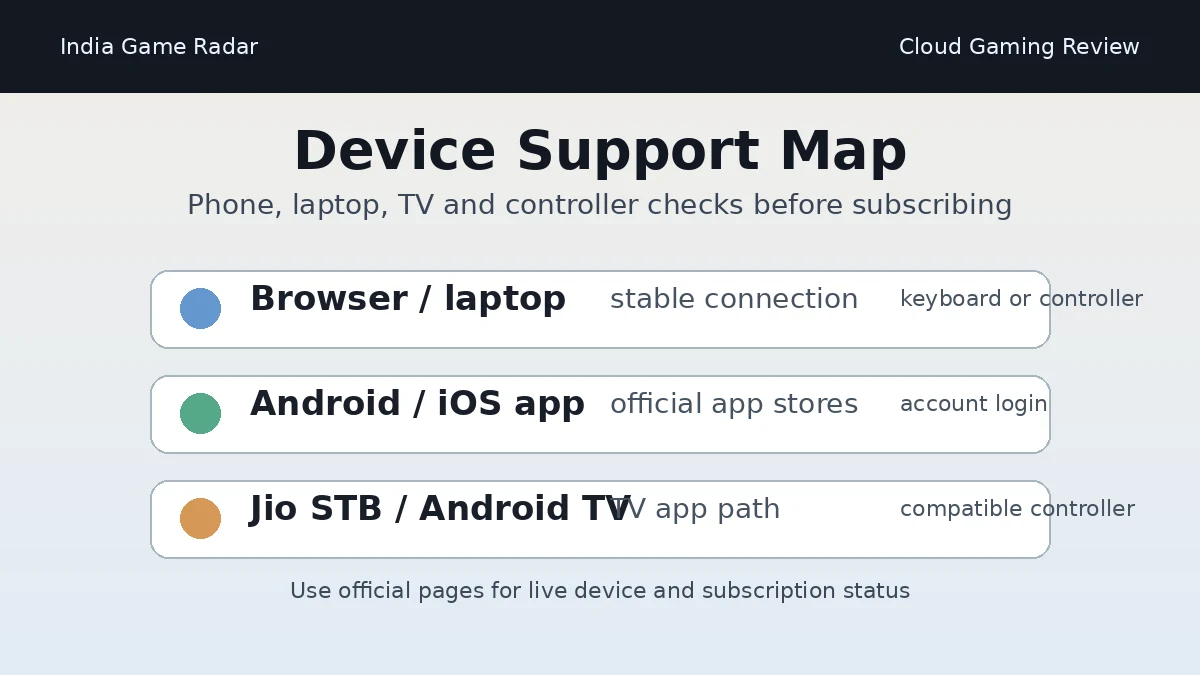
The cleanest starting point is the official JioGames website or the app-store links surfaced from Jio pages. The FAQ lists browser play on desktop/laptop, Android phones through the JioGames app, iOS phones through the JioGames app, Jio Set-Top Box through the Jio app store, and Android TV through Google Play. The Jio apps page also describes smartphone, Jio Set-Top Box, Android TV, JioPhone, JioGamesCloud, JioGamesArena, JioGamesStore, esports, and watch features.
For India readers, the practical point is to avoid APK mirrors, copied download pages, or unofficial subscription claims. Use the official JioGames entry point, then check whether your account, device, region, and plan are eligible before sharing payment details.
Device, Controller, and Network Checks
The JioGames FAQ is the most useful source before you install anything. It says cloud games can be played across the JioGames app and browser, and it lists desktop/laptop via Chrome, Android phone, iOS phone, Jio Set-Top Box, and Android TV paths. It also says a Jio SIM is not required, although the service is optimized for Jio users.
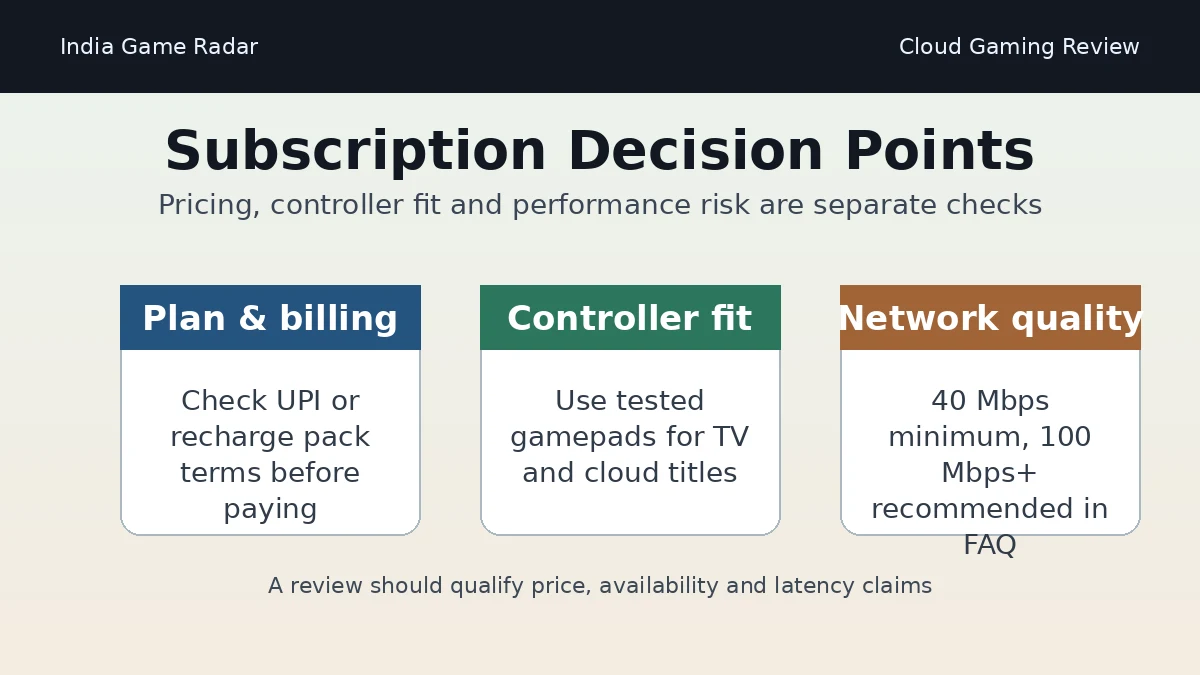
Cloud gaming is sensitive to lag, disconnections, Wi-Fi quality, and controller mapping. The FAQ lists 40 Mbps minimum internet guidance and 100 Mbps+ as recommended, preferably on 5GHz Wi-Fi or 5G. Treat that as a starting point, not a guarantee. A crowded home network, distant router, weak mobile signal, or low-quality controller can still make a listed game feel poor.
JioGames also maintains a supported controllers page with tested gamepads and accessories. If you plan to play on TV or in longer sessions, controller support deserves its own check before you buy either a controller or a subscription.
Pricing and Payment Boundaries
JioGamesCloud should not be reviewed as a fixed-price product from static screenshots. The FAQ says subscriptions can be activated through the JioGames app using UPI or Jio recharge packs, and separate Jio pages may describe bundled recharge offers. Those details can change, so this review does not quote a single evergreen price.
Before paying, check the live plan screen, renewal period, cancellation route, whether a Jio recharge bundle is involved, what happens after a trial or offer period, and whether the specific games you want are included. For general payment habits, pair this review with our gaming app in-app purchases India checklist, especially if a child or shared family device is involved.
Trust, Privacy, and Terms
The public trust signals are stronger than a random cloud-gaming APK because the service is operated through Jio Platforms Limited sources and listed on major app stores. The Google Play listing checked for this review named Jio Platforms Limited as developer and showed a current store rating, review count, download band, ads label, and age label. The App Store listing also named Jio Platforms Limited and described cloud gaming, instant games, esports, live streaming, and store features.
That does not remove normal account-risk checks. The JioGames terms page was last updated on April 30, 2026 in the crawled source, and the privacy policy describes collection of registration, profile, transaction, usage, device, and related information. Review the live JioGames terms, privacy policy, subscription screen, and support route before relying on the service for paid play.
Who Should Use It
- Good fit: Jio or non-Jio users with a stable fast connection who want to test cloud gaming on phone, browser, TV, or set-top-box screens.
- Good fit: players who care more about convenience and device flexibility than owning every game locally.
- Use caution: players on unstable mobile data, older routers, shared Wi-Fi, or unsupported controllers.
- Skip for now: anyone who needs guaranteed low latency, offline play, mod support, exact PC settings, or a fixed long-term game library.
Bottom Line
JioGamesCloud is a credible India-focused cloud-gaming option because it has official Jio pages, app-store listings, device guidance, controller guidance, and published terms. Its real value depends on your connection, screen, controller, desired titles, and live subscription terms. Start from official JioGames pages, test cautiously, avoid unofficial downloads, and treat any payment as a plan-specific decision rather than a one-time app install.
Official JioGames and Jio pages describe JioGamesCloud for India users across browser, mobile app, Jio Set-Top Box, and Android TV paths. Availability, plan access, and game library should still be checked inside the live JioGames account before subscribing.
The JioGames FAQ says a Jio SIM is not required, while also noting that the service is optimized for Jio users. That means non-Jio users should still verify login, payment, performance, and plan access on their own device.
The JioGames FAQ lists 40 Mbps as a minimum and 100 Mbps+ as recommended, preferably on 5GHz Wi-Fi or 5G. Those figures are guidance, not a performance guarantee, because latency and stability also depend on router, signal, congestion, and device setup.
The app listings were free to download when crawled, but the JioGames FAQ says JioGamesCloud subscription access may be activated through UPI or Jio recharge packs. Check the live plan, renewal period, cancellation route, and included games before paying.
Important Notice
India Game Radar is an independent information website for adult readers. We do not operate betting or casino services, accept deposits, process withdrawals, manage player accounts, or provide access to real-money gaming. Always check official terms, local laws, and age requirements before using any third-party website.