Fake Gaming App Scams in India: OTP, Support, and Reporting Checklist
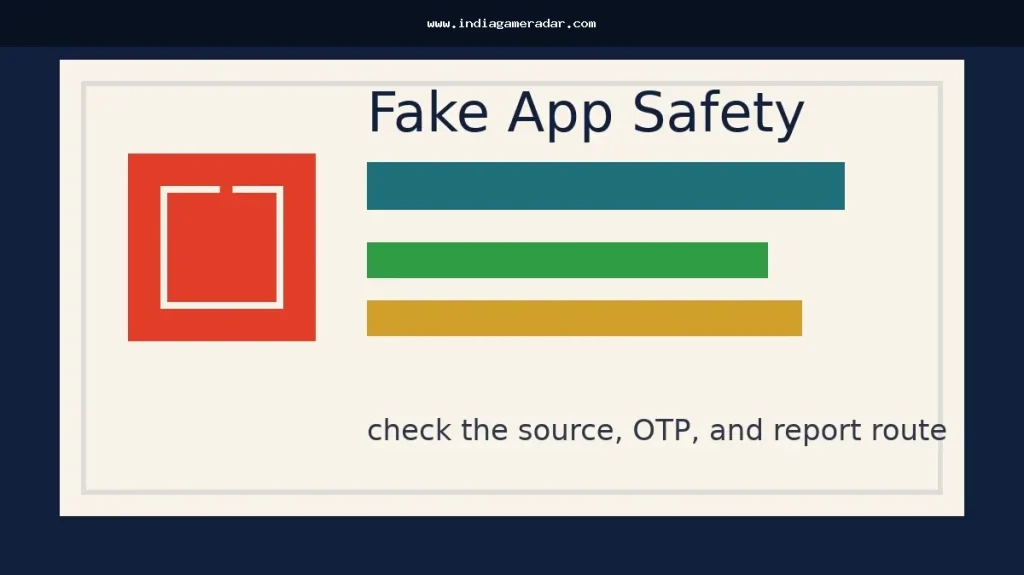
A fake gaming app scam in India usually does not start with a dramatic warning screen. It often starts with a bonus link in a chat group, a lookalike download page, a support account that asks for an OTP, or a caller who says your wallet, KYC, or withdrawal will be blocked unless you act quickly.
This checklist is for players who need a practical way to slow down, save evidence, and choose the right official reporting route. It is not legal advice, cybersecurity incident response, or a promise that money or an account can be recovered. India Game Radar is an independent information site; we do not process deposits, withdrawals, KYC, refunds, police complaints, or player accounts.
Start with the risk, not the offer
Before installing an app or replying to a support message, identify what kind of situation you are in. If you have only received a suspicious call, SMS, WhatsApp message, or link and have not lost money, it may fit a suspected fraud communication report. If you already shared an OTP, UPI PIN, card detail, account password, or money moved from your account, treat it as urgent and use the official cybercrime and payment-support routes first.
For Android users, Google Play Protect is one useful device-level check because Google says it checks apps from Google Play before download and can also check potentially harmful apps from other sources. That is a safety layer, not a guarantee. A clean scan does not prove an app is licensed, fair, legal in your state, or safe to pay.
Red flags before you install a gaming app
- The download is pushed through a shortened URL, random APK file, Telegram channel, WhatsApp broadcast, or private “agent” page instead of a clear official source.
- The page copies the name, colours, or screenshots of a known game but uses a strange domain, spelling, or package name.
- The offer focuses on guaranteed earnings, fixed returns, “sure win” rooms, refund promises, or a time-limited deposit bonus that pressures you to act immediately.
- The app or support account asks for your OTP, UPI PIN, screen-sharing access, device admin permission, SMS access, contacts, or bank login details.
- The support number appeared in search results, social comments, or a forwarded message but is not visible on the operator’s own website or app listing.
If the issue is mainly app permissions, privacy labels, or data collection, use this separate gaming app data safety checklist before installing. If the issue involves a payment attempt or UPI request, check the UPI payment safety checklist for gaming apps before approving anything.
If a support account contacts you first
Fake customer care is common because players often search for help during withdrawal delays, locked accounts, failed payments, or KYC problems. The safest default is simple: do not share OTPs, payment PINs, card details, passwords, recovery codes, or screen-sharing access with anyone who contacted you first.
Move the conversation back to the support channel listed inside the app or on the official website. Do not trust a number just because it appears in a search snippet, social bio, ad, or review comment. If the support account says the problem can only be fixed by installing a remote-control app, scanning a QR code, making a “verification” payment, or forwarding an OTP, stop and save the evidence.

Evidence to save before reporting
Official portals work best when the report includes specific identifiers. Save screenshots and copy details before links disappear or accounts are renamed. Keep the app name, download URL, website URL, package name if visible, phone number, WhatsApp number, Telegram handle, email ID, SMS header, social profile URL, time of contact, payment reference, UPI ID, transaction ID, and any chat where an OTP or payment request was made.
The National Cyber Crime Reporting Portal’s Report Suspect page accepts suspicious identifiers such as website URLs, WhatsApp or Telegram handles, phone numbers, email IDs, SMS headers or numbers, social media URLs, and mobile apps. That matches the evidence a player can usually collect from a fake app link or support impersonation attempt.
Do not edit screenshots to make them look cleaner. If you need to hide unrelated personal information before sharing with a non-official party, keep an untouched original copy for the official complaint or bank/payment-provider process.
Which official route fits?

If you have received a suspicious call, SMS, or WhatsApp message but have not yet lost money, the Department of Telecommunications’ Sanchar Saathi Chakshu route is designed for suspected fraud communications, including impersonation and KYC-style lures. The page itself notes that if money has already been lost, the cybercrime helpline or portal is the relevant route instead.
If you are already a victim of cybercrime, or you need to report a suspicious gaming website, app, phone number, handle, email ID, SMS header, or social profile, use the National Cyber Crime Reporting Portal Report Suspect page or the cybercrime complaint route. The page says victims should report immediately through cybercrime.gov.in or the 1930 National Helpline Number.
If the matter is not an urgent fraud event but a consumer grievance with a known service provider, use your evidence log and the broader gaming app complaints checklist. A consumer complaint route is not a substitute for urgent cyber fraud reporting when money or credentials are at risk.
What not to do after a scare
- Do not install a second “recovery” app sent by the same support account.
- Do not pay a small “unlock”, “tax”, “verification”, or “refund processing” amount to recover a larger balance.
- Do not delete the chat, APK, payment record, or SMS before saving evidence.
- Do not post your full phone number, UPI ID, bank details, or complaint screenshots publicly while asking for help.
- Do not assume a celebrity image, sponsored ad, or high app rating proves that a download link is official.
Scam recovery claims are a second risk. Anyone who promises guaranteed recovery for an advance fee, asks for remote access, or requests another OTP should be treated as a new suspicious contact.
A simple 10-minute checklist
- Stop replying to the support account or promotional link.
- Disconnect from screen-sharing or remote-control apps if any were installed.
- Save screenshots, URLs, handles, phone numbers, payment IDs, and timestamps.
- Change the password on the affected gaming, email, and payment accounts if credentials may have been exposed.
- Contact your bank, wallet, or payment app through its official in-app or card-listed support channel if money moved.
- Use Chakshu for suspicious fraud communications where no loss has happened yet.
- Use the Cyber Crime Portal or 1930 route when cybercrime or financial loss is involved.
- Run device checks such as Play Protect, remove unknown apps, and review risky permissions.
- Keep a clean evidence folder before filing any consumer grievance.
- Do not reinstall the same APK from a different forwarded link.
Editorial note
This guide was written from official reporting and platform-safety sources available on 17 May 2026. It is meant to help readers choose the right first step. It does not verify every gaming app in India, does not decide whether a specific app is legal in a specific state, and does not replace advice from your bank, payment provider, police authority, legal adviser, or the official portal handling your report.
No. An off-store APK is not automatically fake, but it carries extra verification risk. Check the source, permissions, package name, payment request, and support channel before installing. Avoid forwarded APK links.
Stop the chat, contact the affected bank, wallet, payment app, or gaming account through official support, change exposed passwords, save evidence, and use the Cyber Crime Portal or 1930 route if money or credentials are involved. Do not pay a recovery fee.
If it is a suspected fraud communication through call, SMS, or WhatsApp and no money has been lost, Sanchar Saathi Chakshu is the official telecom route. If money has already been lost or cybercrime has occurred, use cybercrime.gov.in or the 1930 helpline route instead.
No. India Game Radar is an independent information site. We do not process complaints, payments, withdrawals, KYC, police reports, or recovery requests. Use official bank, payment-provider, cybercrime, or consumer-grievance channels.
Written by
Rohan Iyer
Brand Research Editor
Rohan Iyer researches online BC brand profiles, app availability, public terms, customer support notes, and market updates for India Game Radar. His work prioritises public-source checks and visible disclosure of uncertainty.
- Expertise
- Brand profiles, betting app research, public terms, support notes, market updates, and affiliate disclosure context.
- Review scope
- Reviews brand profiles, public app information, market updates, affiliate disclosures, and source-based corrections.