Gaming App Data Safety in India: Permissions, Privacy, and Player Checklist
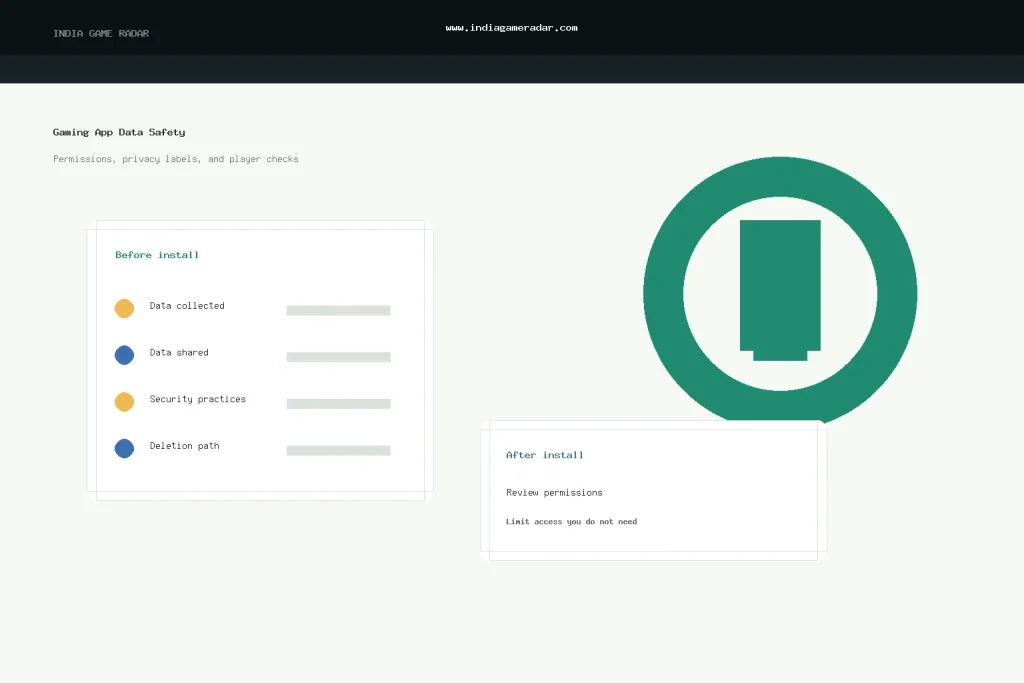
Before installing a gaming app in India, the safety question is not only “is this brand popular?” It is also “what data does this app want, why does it want it, and how easy is it to limit or remove later?” A fantasy sports, rummy, poker, ludo, or casual gaming app may touch account details, device identifiers, app activity, payment flows, identity documents, messages, photos, contacts, and notification permissions. Some of those requests can be normal for a regulated account flow. Others are worth slowing down for.
This checklist is for players who want a practical review before installing or continuing with a gaming app. India Game Radar is an independent information site. We do not process deposits, withdrawals, KYC, or player accounts, and this article does not claim hands-on testing of any specific app. It explains how to read public app-store privacy information, permissions, deletion paths, and India privacy-notice signals before you share more data.

Start With The App Store Listing
On Android, check the Data safety section in Google Play before you install. Google explains that this section lets developers describe how an app collects, shares, and handles data, including security practices and deletion options. It is useful because you can compare apps before signing up, but it is still developer-declared information, so it should not be treated as an independent audit.
On iPhone, review the App Privacy information on the App Store product page. Apple says those labels help users understand what types of data an app may collect, whether data is linked to the user, and whether data may be used to track the user. Apple also notes that this information is self-reported by developers, so it should be checked alongside the privacy policy, account controls, and your own permission settings.
The most important point is that privacy labels and permission lists answer different questions. A data-safety label explains declared collection and sharing practices. A permissions list shows what device features the app can access or may ask to access. A gaming app can have a neat privacy label but still ask for more access than you are comfortable granting during actual use.
The 7-Point Player Checklist
- Confirm the developer and official listing. Check that the app name, developer name, website, privacy policy, and support contact match the brand you intended to use. Be cautious of clone apps, misspelled brand names, and links shared only through ads or social messages.
- Read what data is collected. Look for personal info, phone number, email, user IDs, approximate or precise location, purchase history, app activity, device identifiers, photos, files, contacts, and diagnostics. A real-money or reward app may need some account data, but it should be able to explain the purpose.
- Check what is shared. If the listing says data is shared with third parties, ask whether the reason is payment processing, fraud prevention, analytics, advertising, customer support, or legal compliance. Data shared for advertising or tracking deserves extra caution.
- Match permissions to gameplay. Location, contacts, microphone, camera, photos, SMS, and files should have a clear reason. For many games, contacts access or broad file access is not needed for ordinary play. If the app blocks basic use until you grant unrelated permissions, treat that as a red flag.
- Check deletion and account controls. Find the account deletion path before you deposit money, submit documents, or build a long transaction history. Google Play surfaces deletion information for many apps, but you should still look for an in-app route, web form, support email, and privacy-policy explanation.
- Review payment and KYC data separately. Payment records, PAN, Aadhaar-related documents, bank details, and face or video checks carry more risk than a username. Use the gaming app KYC document safety checklist before sharing documents, and keep screenshots of any upload instructions.
- Decide what you will turn off after install. You can often deny precise location, limit photo access, disable promotional notifications, remove unused permissions, and delete an app if the data request no longer feels justified. If you later close the account, use the account deletion and privacy checklist.

Permission Requests That Deserve A Pause
Not every sensitive permission is suspicious. A camera request can be normal during document or selfie verification. Notifications can be useful for contest reminders. Location may be used for state-level availability checks. The problem is when a permission appears before the app has explained the feature, or when the request is wider than the feature requires.
Use a simple rule: if you cannot explain why the app needs the permission at that moment, deny it first and see whether the app still works. If the app later asks again for a feature you intentionally use, you can reconsider. This is especially important for contacts, precise location, camera, microphone, photos, and SMS-style access.
Also watch for permission creep. A gaming app may start as a simple points game, then later add social sharing, rewards, contests, or payment features. Re-check permissions after major updates, because new features can change the data profile even if the app name is familiar.
What Indian Players Should Look For In Privacy Notices
India’s Digital Personal Data Protection Rules, 2025 were notified with phased commencement dates. For player checks, the useful signal is practical: a privacy notice should be clear enough to identify the personal data being requested, the purpose of processing, and the route to withdraw consent, exercise rights, or make a complaint when applicable. Treat this as an information-quality check, not as legal advice or proof that an operator is compliant.
For gaming apps, a better privacy notice usually answers plain questions: What account data is collected? Is KYC data handled differently from gameplay data? Which payment or fraud-prevention partners may receive information? How long can records be kept? How can a user close an account or request deletion? If the notice is vague, buried, or written only as broad legal boilerplate, keep your risk lower until the operator gives clearer answers.

Red Flags Before You Share Documents Or Money
- The app has no visible privacy policy, or the policy does not match the developer shown in the app store.
- The app asks for contacts, files, microphone, or precise location before explaining a relevant feature.
- Support asks you to send PAN, Aadhaar, bank screenshots, or OTPs through chat or social media.
- Promotional notifications are enabled by default and there is no easy way to reduce them.
- The privacy label says tracking or third-party sharing is involved, but the app does not explain why.
- Account deletion requires unclear manual steps, or support avoids confirming what happens to stored data.
If a brand fails several of these checks, slow down before sending documents or making a payment. You can compare it with safer onboarding habits in our gaming brand sign-up checklist. For payment-specific issues, keep separate records and use the UPI payment safety checklist.
Keep A Small Evidence Trail

Before installing a higher-risk gaming app, take screenshots of the app-store listing, developer name, privacy label, permissions shown, privacy policy link, and deletion or support path. If you later face an account, document, bonus, or withdrawal dispute, those screenshots help show what was visible at the time you signed up.
Keep your checklist practical. You do not need to become a privacy lawyer. You only need to confirm that the app explains its data requests, lets you limit unnecessary access, and gives you a reasonable path to withdraw, delete, or complain if something goes wrong.
Authority Sources Used
This guide was prepared from public official guidance, including Google Play’s Data safety guidance, Apple App Privacy information, and the Digital Personal Data Protection Rules, 2025. These are references for player education only; check the latest official documents and the specific app’s own policy before making account or legal decisions.
No. It is useful transparency, but it is not the same as India Game Radar testing the app, an independent audit, or a legal compliance certificate. Use it with the permissions list, privacy policy, support path, and your own risk check.
Start with precise location, contacts, camera, microphone, photos, files, SMS-style access, notifications, and payment-related flows. A permission can be legitimate, but it should match a feature you understand and choose to use.
Do not rush. KYC documents, payment records, and account identifiers are high-risk data. Look for a clear privacy notice, official developer identity, secure upload path, deletion/support route, and a reason for the request before sharing.
No. This is an independent player information checklist. Privacy and gaming rules can depend on official notifications, the app operator, the product design, and the user’s state or account context. Check current official sources for legal decisions.
Written by
Aarav Mehta
Senior Betting Games Editor
Aarav Mehta writes and reviews game-rule explainers, fantasy sports guides, cricket betting context, and strategy notes for adult readers in India. His work focuses on explaining rules, risk, limits, and public platform terms in clear language.
- Expertise
- Cricket betting context, fantasy sports rules, casino game explainers, betting strategy basics, and responsible-use reminders.
- Review scope
- Reviews game rules, strategy articles, bonus-term explanations, and public-source updates before publication.