APK Download Safety for Gaming Apps in India: Install Checklist
APK files and direct-download gaming links deserve a separate safety check. A polished download page, a bonus promise, or a forwarded install link does not prove that the app is safe, current, legal in every Indian state, or connected to the operator it claims to represent. India Game Radar is an independent information site; we do not accept deposits, process withdrawals, manage player accounts, or provide access to real-money gaming. Use this checklist before installing a gaming app from an APK, a direct website download, a store listing, or a social-media link.

Start With The Source, Not The Bonus
The first question is not whether the app looks exciting. It is where the file came from. Prefer the operator’s official domain, a known app store listing, or a documented download route that matches the brand’s own website. Be cautious with shortened links, copied APK mirrors, Telegram forwards, comment-section links, and pages that only talk about bonus money. If a link claims urgency, says an older app is “blocked,” or asks you to install an unknown update outside the normal path, compare it with the warning signs in our fake gaming app scams checklist.
Google says Play Protect checks apps from Google Play before download and can also check a device for potentially harmful apps from other sources. That is useful, but it is not a guarantee. Treat a Play Protect warning as a stop signal, and treat a clean scan as only one part of the decision. You still need to read the source, permissions, account prompts, payment route, and complaint process.
Check Permissions Before You Log In
A gaming app normally needs some device access, but the permission request should match what the app actually does. Be more careful if an APK asks for SMS access, contacts, accessibility services, notification reading, screen overlay, call logs, files that are not needed for gameplay, or permission changes before it explains why. Google’s own developer policy material treats permissions and APIs that access sensitive information as a privacy and compliance area, so players should treat unusual permission prompts as a practical risk signal.
Also read the app’s privacy and data disclosures before entering a phone number, email, Aadhaar-related document, PAN, UPI details, or wallet information. Our gaming app data safety checklist explains the broader privacy review. For APK decisions, the key rule is simpler: if the app wants sensitive data before you can inspect terms, limits, support, or deletion options, slow down.
Use A Five-Minute Install Checklist
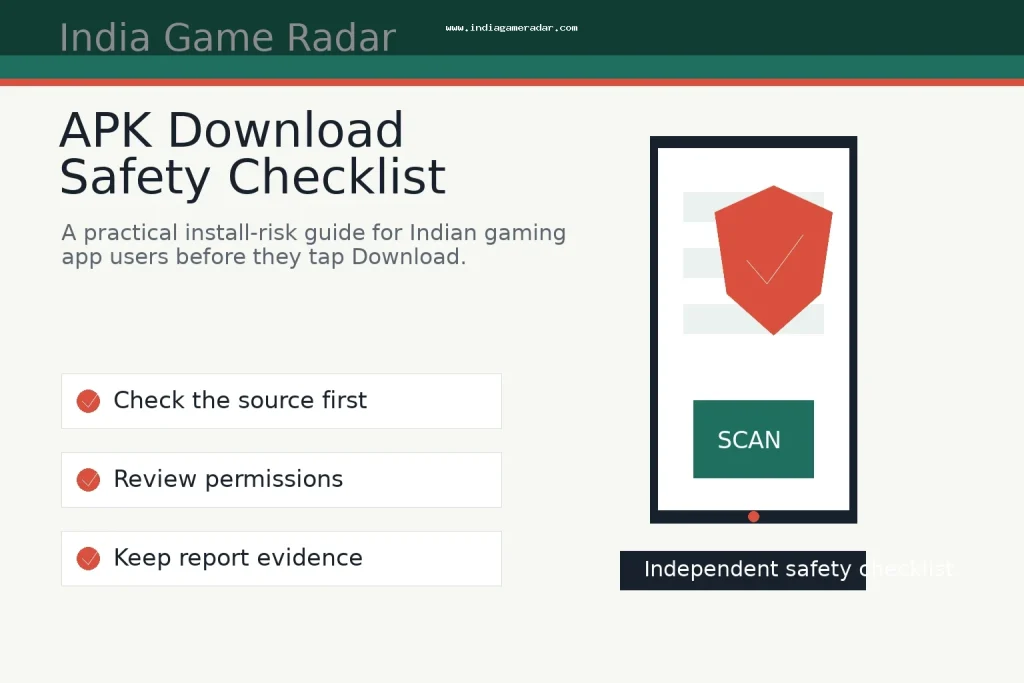
- Confirm that the download link is on the operator’s official website or a trusted app-store page.
- Search the exact app name and developer name, not only the advertised brand name.
- Check whether the app explains eligibility, state restrictions, paid-contest rules, KYC, withdrawals, and support before asking for money.
- Read the permission screen and reject permissions that do not fit the app’s stated use.
- Do not enter an OTP, UPI PIN, card PIN, or password because a support agent, bonus page, or update prompt asks for it.
- Keep screenshots of the source page, version number, file name, payment request, and support conversation if anything looks wrong.
This checklist is deliberately boring. That is the point. Most risky installs rely on speed: a limited-time reward, a copied download link, a fake support message, or a claim that the “real” app is no longer in the store. A safe decision usually survives a few minutes of checking.

If You Already Installed A Suspicious APK
Do not keep experimenting with the app to “see what happens.” Stop entering credentials, payment details, OTPs, and identity documents. Save evidence first: the download URL, app icon, package name if visible, APK file name, screenshots of permission prompts, payment requests, support chats, and transaction IDs. Then remove risky permissions, uninstall the app if needed, change reused passwords, and monitor linked payment accounts.
If the issue is a consumer-service grievance, the National Consumer Helpline provides official routes to register and track grievances and upload documents. If the issue looks like cyber fraud, impersonation, account takeover, or financial crime, use the National Cyber Crime Reporting Portal. Neither route guarantees recovery, but both are better than continuing a private chat with a suspicious “support” account. For payment-specific evidence, compare the records suggested in our UPI payment safety checklist.
What This Checklist Cannot Prove
No public checklist can prove that every version of a gaming app is safe, approved, solvent, fair, or available everywhere in India. App behavior can change after updates, state rules can vary, and payment or support processes may differ by user and product. Use the checklist to reduce obvious install risk, then still read the app’s terms, privacy policy, responsible-play material, and complaint process before making account or payment decisions.
No. Some operators use direct downloads, but a direct APK is higher risk than a clearly documented store or official-site route. Check the source, developer identity, permissions, terms, and scanner warnings before installing.
No. Play Protect is a useful safety layer and can warn about potentially harmful apps, but it is not a guarantee. Treat it as one check alongside source, permissions, privacy, payment, and support review.
Do not install only because a page or support message promises a bonus. First confirm the source, read the terms, check permissions, and never share OTPs, passwords, UPI PINs, or card PINs.
If the issue looks like cyber fraud or financial crime, use the National Cyber Crime Reporting Portal. If it is a consumer-service grievance, the National Consumer Helpline can be relevant. Keep screenshots, URLs, transaction IDs, and support-chat records.
Written by
Aarav Mehta
Senior Betting Games Editor
Aarav Mehta writes and reviews game-rule explainers, fantasy sports guides, cricket betting context, and strategy notes for adult readers in India. His work focuses on explaining rules, risk, limits, and public platform terms in clear language.
- Expertise
- Cricket betting context, fantasy sports rules, casino game explainers, betting strategy basics, and responsible-use reminders.
- Review scope
- Reviews game rules, strategy articles, bonus-term explanations, and public-source updates before publication.